![Fruition_Logo_White.png]](https://helpdesk.meetfruition.com/hs-fs/hubfs/Fruition_Logo_White.png?width=40&height=40&name=Fruition_Logo_White.png)
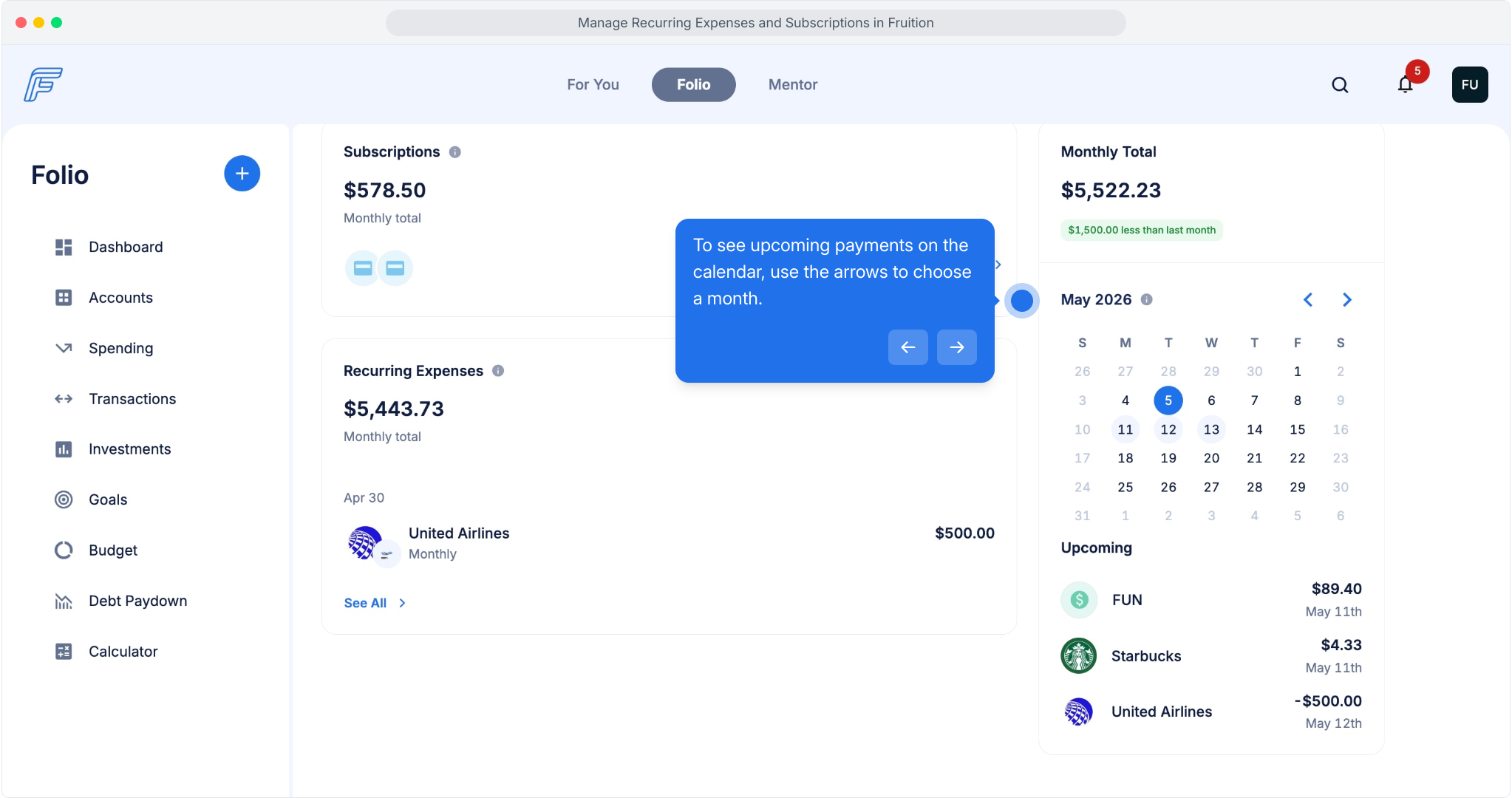
Recurring transactions and subscriptions are accessible from the Fruition Folio.
From your Folio dashboard, click on Spending. Recurring Transactions includes subscriptions and all other transactions that you might pay on a regular basis that aren't a subscription. This might include things like utility payments and bills.
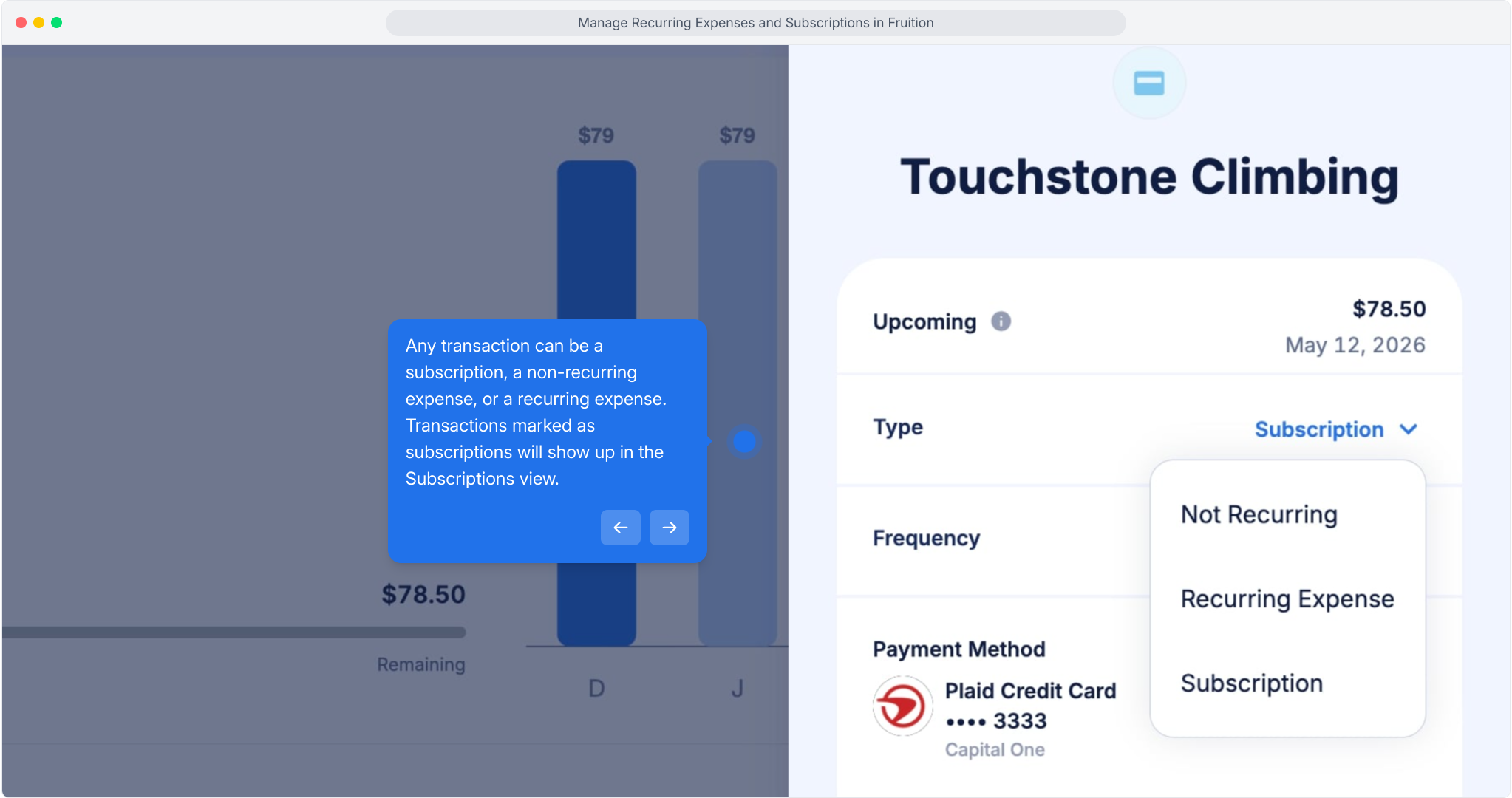
Let's look at Subscriptions first. The Subscription view shows what you've spent this month, as well as what you've spent in previous months. You can also edit any transactions included in this list. When you click into a transaction, click on Type to choose a type of transaction.
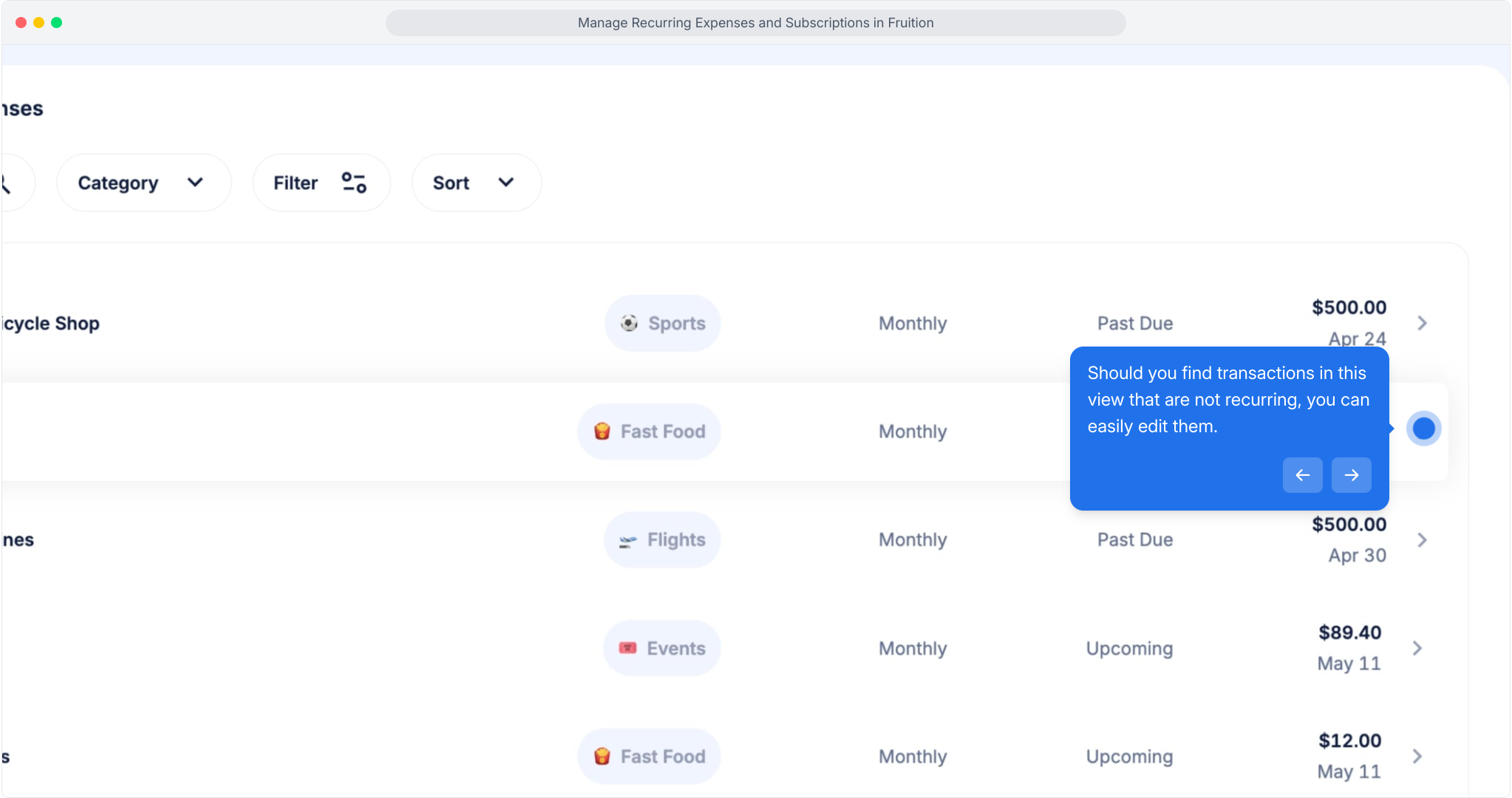
Return to the Recurring Transactions screen to view recurring expenses. Recurring expenses includes recurring transactions like essential bills, loans, and financial obligations with fixed payment schedules.
Click See All to view the complete list of recurring expenses.
Should you find transactions in this view that are not recurring, you can easily edit them.
To see upcoming payments on the calendar, use the arrows to choose a month.